How to Style Hair for Video Calls: Camera-Ready Looks | The Ultimate Guide
How to Style Hair for Video Calls: Camera-Ready Looks
In the modern professional landscape, the conference room has been replaced by the digital screen. Whether you are negotiating a high-stakes contract, interviewing for a new position, or catching up with your creative team, your appearance on camera speaks volumes before you even unmute your microphone. While wardrobe choices are often discussed, how to style hair for video calls is a nuance that can dramatically alter your on-screen presence. The camera lens, unfortunately, does not see the world the way the human eye does; it flattens features, exaggerates flyaways, and can make even clean hair look lackluster depending on the lighting.
Achieving a camera-ready look requires a shift in strategy. It is not just about looking good in the mirror; it is about understanding how pixels and bandwidth translate your image to others. A hairstyle that looks voluminous and textured in person might look messy and undefined on a 720p webcam. Conversely, a style that feels too severe in person might translate as polished and professional on a small laptop screen. This guide is dedicated to bridging that gap, offering professional insights into mastering your digital aesthetic.
From managing the dreaded "halo of frizz" created by backlighting to selecting styles that frame your face without casting shadows, we will explore comprehensive strategies for digital grooming. We will delve into the physics of lighting, the psychology of different hairstyles, and practical, quick-fix solutions for those moments when a meeting is scheduled with only ten minutes' notice. Prepare to elevate your virtual presence with these salon-approved techniques.
Understanding the Camera Lens and Lighting Dynamics
Before picking up a brush or a curling iron, it is crucial to understand the environment in which your hair is being viewed. Webcams have small sensors that struggle with contrast and depth of field. This means that subtle textures often get lost, and extreme contrasts are heightened. If you sit with a window behind you, your camera will expose for the light, turning you into a silhouette and making your hair look like a dark, undefined mass. The first step in styling hair for video calls is actually lighting. Front-facing light—whether from a window or a dedicated ring light—is essential. It illuminates the face and allows the camera to pick up the shine and dimension of your hair color.

Furthermore, the "flatness" of video means that volume is king. In three-dimensional space, people can see the movement of your hair. On a screen, hair that lies flat against the head can make the face look wider or the hair appear greasy, even if it is freshly washed. To combat this, you need to exaggerate volume slightly more than you would for a casual day out. Root lifting sprays and a bit of backcombing at the crown can restore the structural balance of your face on screen. Think of it as stage makeup; you need a little extra definition to look natural from a distance—or in this case, through a digital filter.
Finally, consider the resolution. High-definition cameras are becoming standard, which means frizz and split ends are more visible than ever. The "soft focus" of early video conferencing is gone. This reality necessitates a focus on smoothness and hair health. Using a finishing serum or a lightweight oil is no longer optional; it is a necessity to prevent the camera from picking up every stray hair that catches the light. When you understand these technical constraints, you can style your hair to work with the camera, not against it.
The Power of the Sleek Bun and Ponytail
When in doubt, sleek is chic. One of the most reliable ways to style hair for video calls is the polished low bun or ponytail. This look has become synonymous with the "Clean Girl" aesthetic and communicates professionalism, organization, and focus. By pulling the hair back away from the face, you open up your features, allowing your expressions and engagement to take center stage. This style is particularly effective for high-stakes presentations where you want the focus to be entirely on your words, not on you brushing hair out of your eyes.
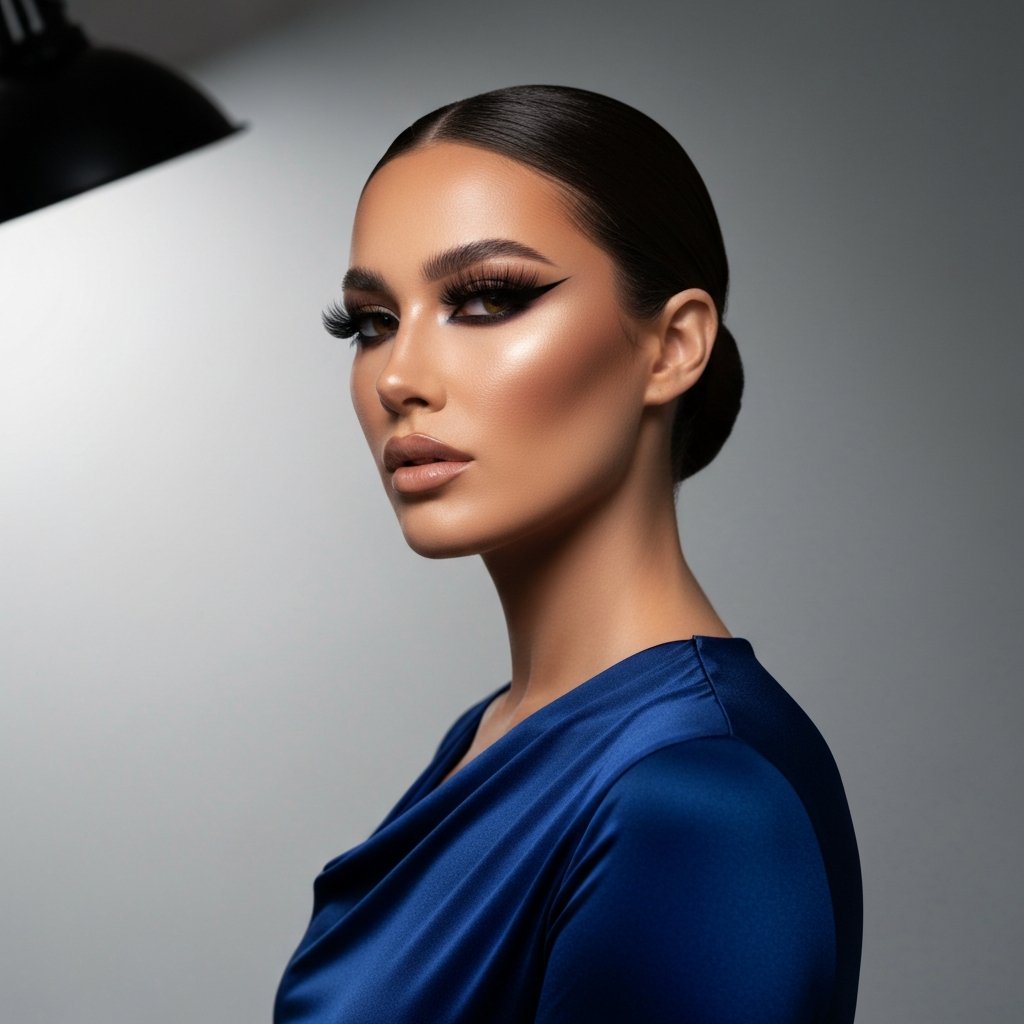
To achieve this look, start with a center or deep side part—whichever suits your face shape best. Use a boar bristle brush to smooth the hair back, ensuring there are no bumps or ridges. The key here is the product. A flexible-hold gel or a styling cream is essential to tame flyaways that might create a fuzzy halo on camera. Secure the hair at the nape of the neck. If you have long hair, twisting it into a tight chignon and securing it with bobby pins creates a sophisticated silhouette that looks great even if you turn your head side-to-side.
However, a word of caution: avoid pulling the hair too tight without checking your profile. On video, if the hair is pulled back too severely without any volume, it can sometimes look like you have no hair at all depending on the crop of the camera. To prevent this, leave a very small amount of slack near the ears or gently tug at the crown to create a millimeter of lift. This ensures that the texture of your hair is visible, softening the look while maintaining that executive polish.
Volume and Texture for Low-Resolution Cameras
For those who prefer wearing their hair down, volume is the differentiating factor between a "bedhead" look and a "blowout" look. As mentioned earlier, cameras flatten images. If your hair is naturally fine or straight, it can disappear into the background or look limp on screen. To counter this, you need to create width and movement. This is where waves and curls become your best friends. Adding a soft bend to the hair using a large-barrel curling iron or a flat iron catches the light in different directions, creating a sense of depth and vitality that translates well over video.
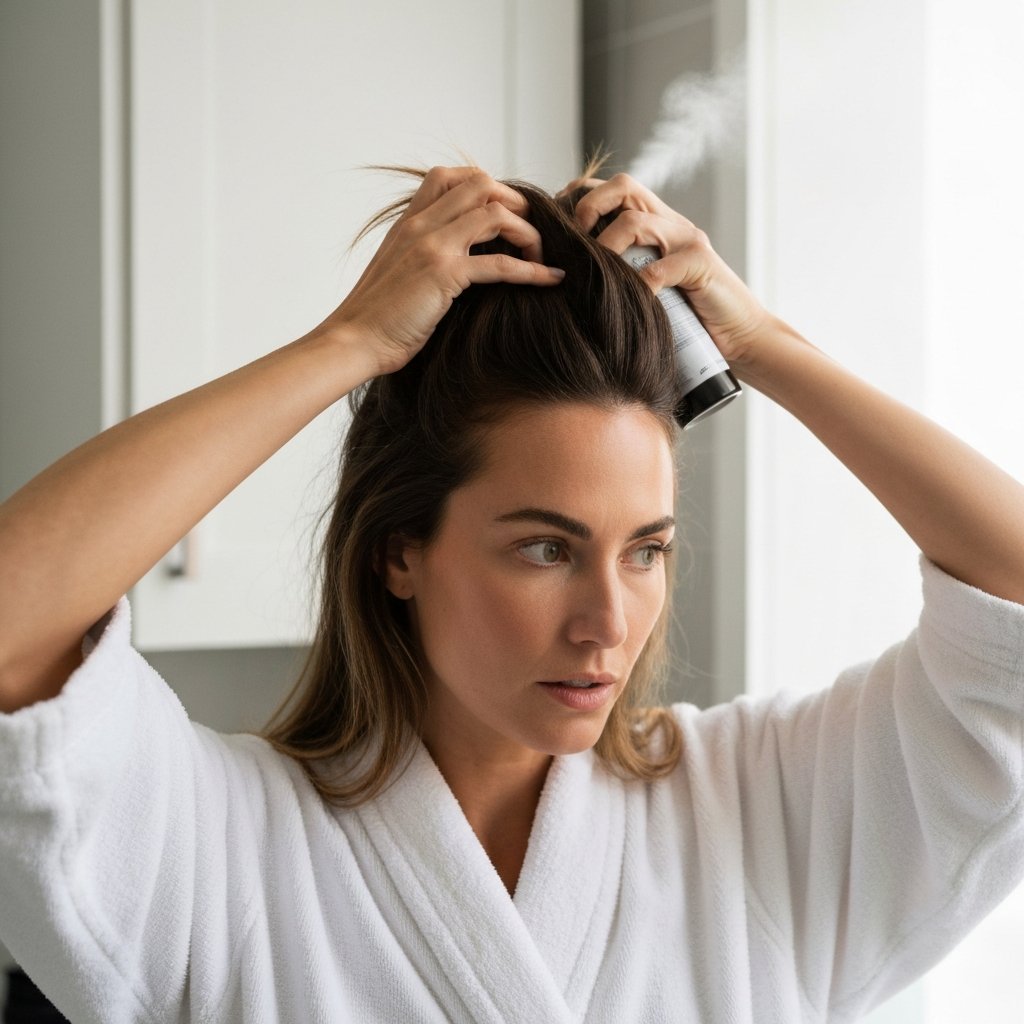
Focus your styling efforts on the sections of hair that frame the face. The hair at the back of your head is largely invisible during a Zoom call, so you can save time by ignoring it. Instead, spend your energy creating volume at the roots and movement through the mid-lengths of the front sections. Use a dry texture spray or a volumizing powder at the roots. Flip your hair to the opposite side of your natural part for a moment to create instant lift, then flip it back. This simple trick disrupts the hair pattern and adds immediate body.
If you have naturally curly or coily hair, video calls are a fantastic opportunity to showcase your texture. However, monitor the silhouette. Sometimes, headphones can flatten the top of curly styles, creating a triangular shape. To avoid this, consider using earbud-style headphones or styling your curls with a focus on vertical volume. deeply moisturizing leave-in conditioners will ensure your curls look defined and hydrated rather than undefined and frizzy, which the camera can interpret as pixelated noise.
Framing Your Face: Bangs and Layers
Face-framing layers and bangs act as the curtains to the window of your face. On a video call, they are the most prominent accessory you have. However, they can be tricky. Bangs that are too long can cast shadows over your eyes, making you look tired or disengaged. If you have a heavy fringe, make sure to give it a quick round-brush blow-dry before your call to ensure it sits above the brow line. This allows light to reach your eyes, which is crucial for building a connection with your digital audience.

Curtain bangs are particularly popular and effective for video calls because they contour the face. They add softness and break up the harsh angles that webcams can sometimes create. To style them for the camera, use a round brush to sweep them away from the face. You want them to wing out at the cheekbones, highlighting your bone structure. This outward movement opens up the face, whereas inward-curling bangs can close the face off and create darkness around the eyes.
If you don't have bangs, you can fake the face-framing effect by pulling out a few wispy strands near the temples when wearing an updo. This softens the severity of a pulled-back style. Just ensure these strands are styled—smooth them with a curling iron or a straightener—so they look intentional and romantic, rather than messy and accidental. The goal is to create a visual frame that directs the viewer's eye to your eyes and smile.
Dealing with Shine, Frizz, and Flyaways
Lighting hits the high points of your face and hair. While we all want healthy, shiny hair, there is a fine line between "glossy" and "greasy" on camera. High-definition webcams can exaggerate natural oils, especially under harsh overhead lighting. If your hair tends to get oily, use a dry shampoo at the roots before a call. This not only absorbs oil but adds a matte texture that looks velvety and soft on screen. Avoid heavy serums on the roots; keep shine products restricted to the ends of the hair.

Frizz is another nemesis of the video call. Backlighting (a window behind you) will illuminate every single broken hair or flyaway, creating a distracting halo effect. To combat this, checking your lighting setup is step one. Step two is using a dedicated anti-humidity spray or a styling paste. For flyaways along the part line, a trick used by editorial stylists is to spray hairspray on a clean toothbrush and gently comb down the stray hairs. This locks them in place without plastering the hair to the scalp.
If you are dealing with static, which often happens in dry, air-conditioned home offices, run a dryer sheet over your hair or apply a tiny amount of hand lotion to your palms and hover them over your hair (without touching it heavily). This neutralizes the static charge. Remember, the camera picks up contrast. Frizz creates a blurry contrast against your background, making the video feed look lower quality. Smoothing the cuticle of your hair instantly upgrades the perceived quality of your video feed.
Quick Fixes for Last-Minute Calls
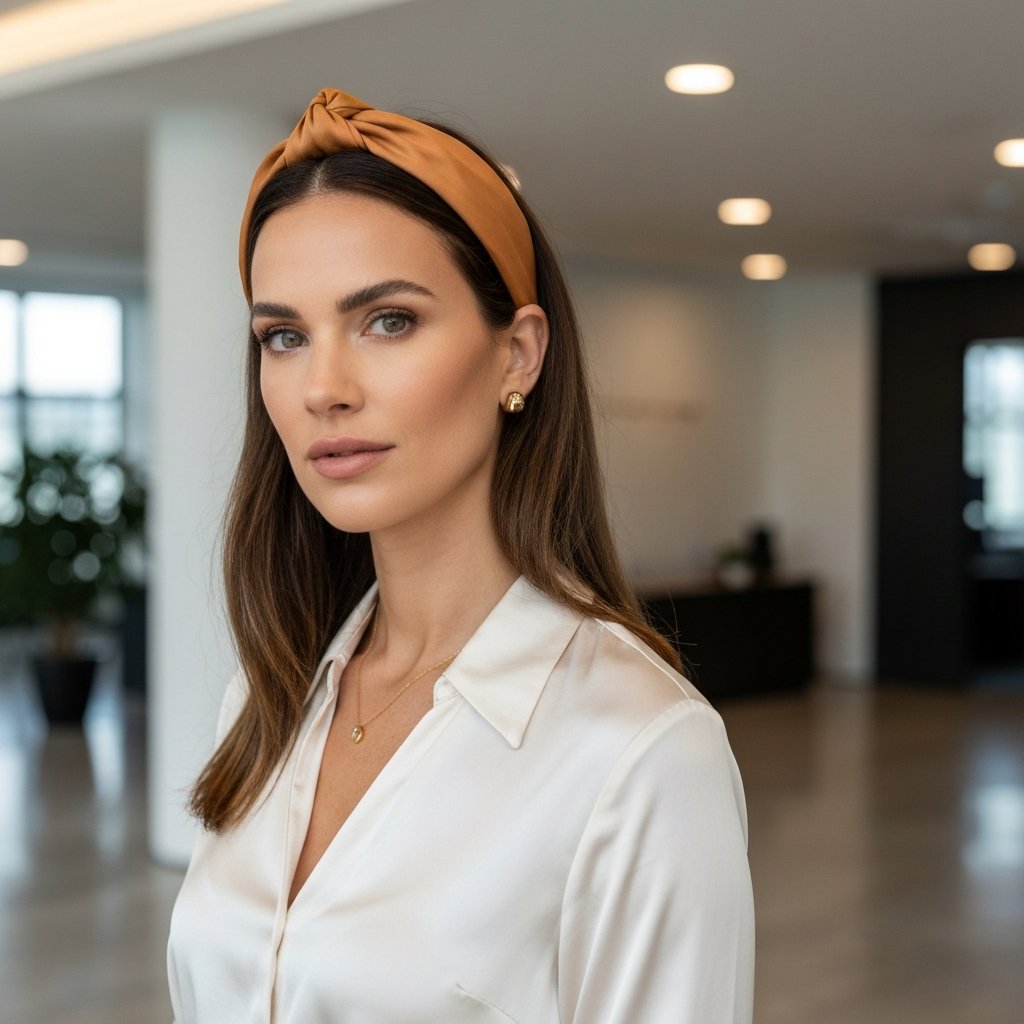
We have all been there: a calendar notification pops up for a meeting in 15 minutes, and you haven't looked in a mirror all morning. Panic sets in. But with a few strategic moves, you can look completely put together. The first line of defense is the accessory. A statement headband is the ultimate savior for video calls. It hides greasy roots, pushes hair out of the face, and adds a deliberate element of style that looks like you made an effort. Choose a headband in a solid color that contrasts with your hair color for the best visual impact.
If a headband isn't your style, the "half-up, half-down" look is your next best option. It provides the best of both worlds: the sleek professionalism of an updo and the soft length of wearing it down. Simply gather the top section of your hair (from ear to ear) and secure it with a clip or elastic. This instantly lifts the face and hides any flatness at the crown. It takes less than 30 seconds but looks intentional and tidy.
Finally, never underestimate the power of a messy bun—if done correctly. The key to a "professional" messy bun is height. A low messy bun just looks like you didn't brush your hair. A high top-knot looks like a stylistic choice. Gather your hair high on the crown, twist it, and secure it. Pull a few strands loose at the nape and temples to soften it. If your hair looks dull, a quick mist of shine spray brings it back to life instantly. These quick fixes are about distraction and geometry; drawing the eye to the style rather than the texture.
Color Considerations on Screen
Hair color translates differently on screen than in person. Webcams often desaturate colors, making vibrant reds look dull or cool blondes look ashy. If you have highlights or balayage, video calls are actually your time to shine. The dimension created by lighter pieces against a darker base reads very well on camera, creating depth that solid colors sometimes lack. Solid black or very dark brown hair can sometimes look like a "helmet" if the lighting isn't sufficient, so those with darker hair should prioritize good frontal lighting to reveal texture.

Roots are another concern. High-angle camera shots (where the camera is looking down at you) will display your regrowth prominently. If you are between salon visits and have a major presentation, root touch-up sprays or powders are invaluable. Select a shade that matches your base color and apply it along the part line. These products are generally matte, which also helps with oil control.
Conversely, if you are planning your next salon visit, discuss your digital lifestyle with your stylist. If you spend 8 hours a day on Zoom, you might opt for "money piece" highlights—brighter sections right around the face. This technique illuminates the complexion and ensures you look bright and awake on camera, even if the rest of your hair is a more low-maintenance natural shade. It is a strategic coloring technique designed for the digital age.
Tips for the Perfect Digital Appearance
- Wardrobe Contrast: Wear a top that contrasts with your hair color. If you have dark hair and wear a black shirt, your hair will blend into your clothes, making you look like a floating head. Lighter tops for dark hair, and darker tops for blonde hair create necessary separation.
- Check Your Background: Ensure your background isn't the same color as your hair. A white wall is great for dark hair, but can wash out platinum blondes.
- The Headphone Factor: If you must wear large over-ear headphones, opt for a low bun or a side braid. Wearing hair down with large headphones often causes the hair to bunch up awkwardly around the ears.
- Monitor Height: Raise your laptop so the camera is at eye level. This is the most flattering angle for your face and your hair volume. Looking down into a camera flattens the hair at the crown.
- Practice Run: Open your camera app before the meeting starts to check your look. Adjust your lighting and hair part based on what you see on the screen, not the mirror.
Frequently Asked Questions
1. What is the best hairstyle for a video interview? A half-up, half-down style is universally flattering and professional. It keeps hair off your face (showing you have nothing to hide) while retaining the softness of loose hair. Alternatively, a sleek low bun is a power move that signifies serious business intent.
2. How do I hide greasy hair on a video call? Dry shampoo is the best product solution. Stylistically, a slicked-back ponytail or a wide headband are the best ways to disguise oily roots. Avoid styles that require volume at the root, as oily hair will inevitably fall flat.
3. Does ring light damage hair? No, ring lights use LED technology which emits very low heat. However, the brightness will highlight split ends and frizz, so ensure your hair is smoothed with a serum if you are using strong artificial lighting.
4. Should I wear my hair up or down for Zoom? It depends on the context. For creative meetings or casual catch-ups, wearing it down helps build rapport and shows personality. For formal reviews or serious negotiations, wearing it up eliminates distractions and projects authority.
5. How can I make my thin hair look thicker on camera? Use the "shoulder trick." Bring all your hair over one shoulder. This doubles the visual density of the hair on that side of the screen. Also, use a root lifting spray and tease the crown slightly to prevent the camera from seeing the scalp.
6. My glasses reflect the screen and mess up my hair framing. What should I do? If you wear glasses, keep your hairstyle simple. Busy bangs plus glasses can overwhelm the face on a small screen. Try pinning bangs back or opting for a side part to open up the forehead area above the frames.
Conclusion
Mastering how to style hair for video calls is a modern skill set that blends grooming with a bit of digital production knowledge. It is not about vanity; it is about professional communication. When your hair looks polished, you feel more confident, and that confidence transmits through the lens to your colleagues and clients. By controlling your lighting, managing volume, and choosing styles that withstand the scrutiny of high-definition webcams, you ensure that your ideas—not your flyaways—are the focal point of the meeting.
Remember that while these tips are excellent for day-to-day maintenance, the foundation of great hair is a professional cut and color. Regular visits to experienced stylists ensure your ends are healthy and your color is vibrant, making daily styling significantly easier. Whether you are logging in from a home office or a remote beach, these camera-ready looks will ensure you are always ready for your close-up.